Schema-guided extraction with your own keys.

Describe the fields once. Get typed JSON from any page.

Download free for Windows, macOS and Linux

No credits. Your machine. Your keys.

in
a page + your schema
out
typed JSON · cost per call
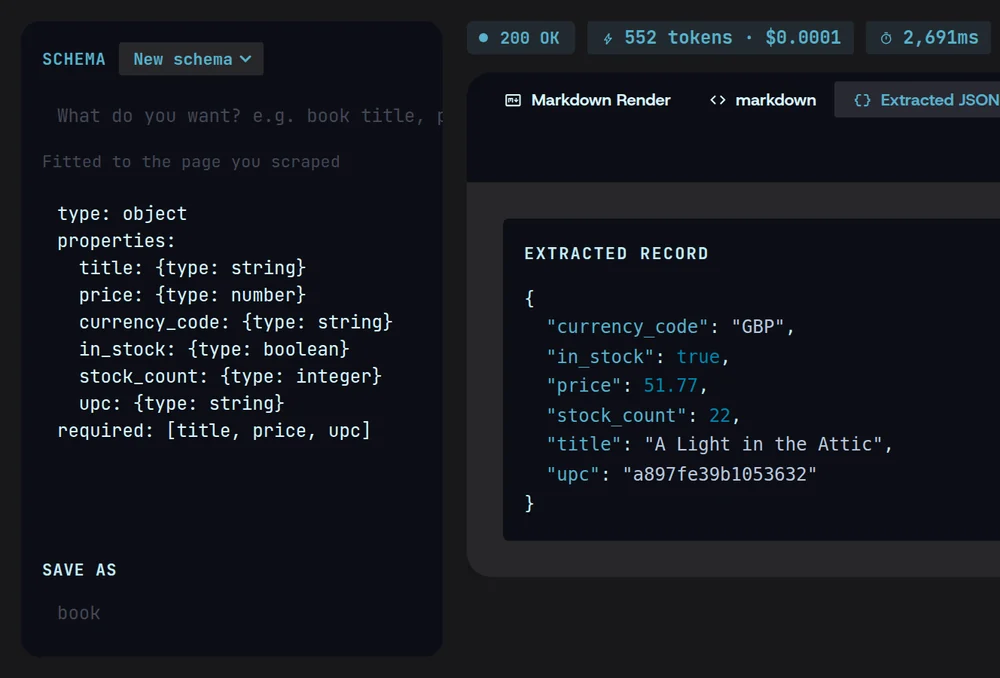
Magpie’s Extract: a six-field schema beside the typed JSON record it returned for the same books.toscrape.com page — GBP, 51.77, in stock, 22, title and UPC — for 552 tokens, $0.0001.

Paste a schema, or let Magpie draft one.

Bring the schema you already have, or describe what you want and let Magpie propose the fields for a page you’ve scraped.
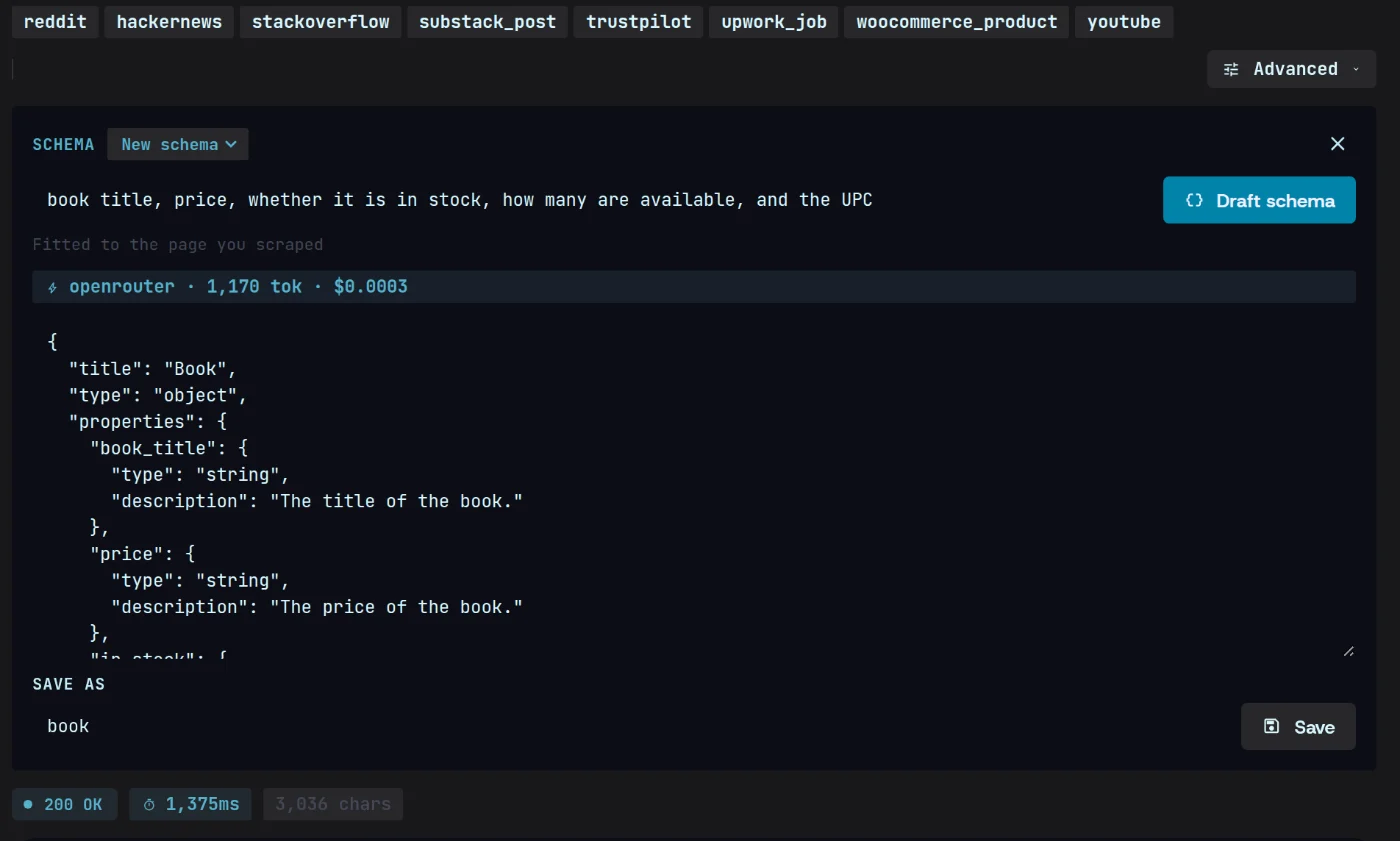
Extract’s schema panel: “book title, price, whether it is in stock, how many are available, and the UPC” drafted into a JSON Schema fitted to the scraped page, for 1,170 tokens and $0.0003 on OpenRouter.

Typed JSON out, every time.

Titles come back as strings, prices as numbers, stock as true or false, ready for your code without cleanup.
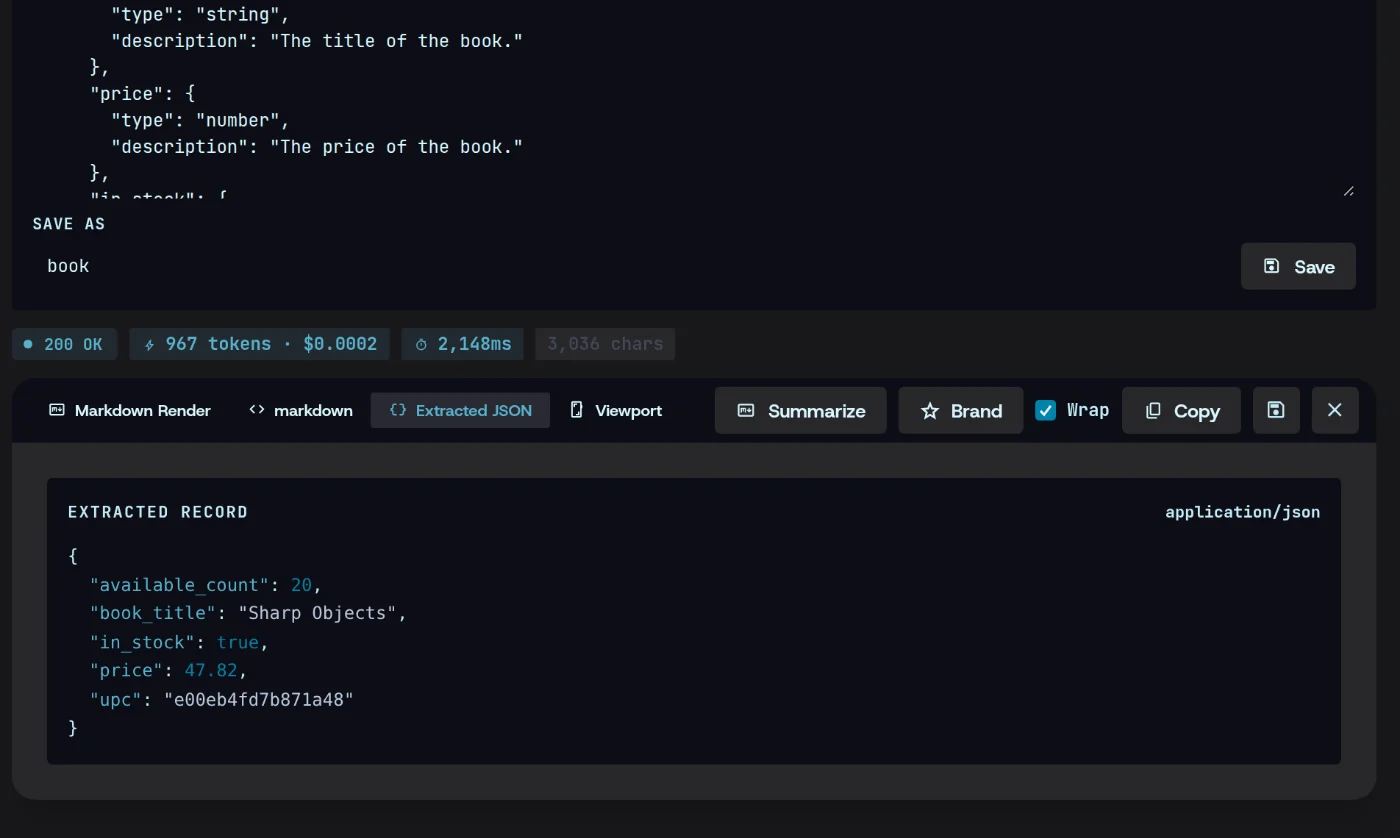
The record extracted from books.toscrape.com’s Sharp Objects page — available_count 20, in_stock true, price 47.82 as a number, title and UPC as strings — under the schema with price edited to a number; 967 tokens, $0.0002.

Every LLM call logged, with its cost.

Extraction runs on your own key. Each call is logged with its tokens and cost, so the bill never surprises you.
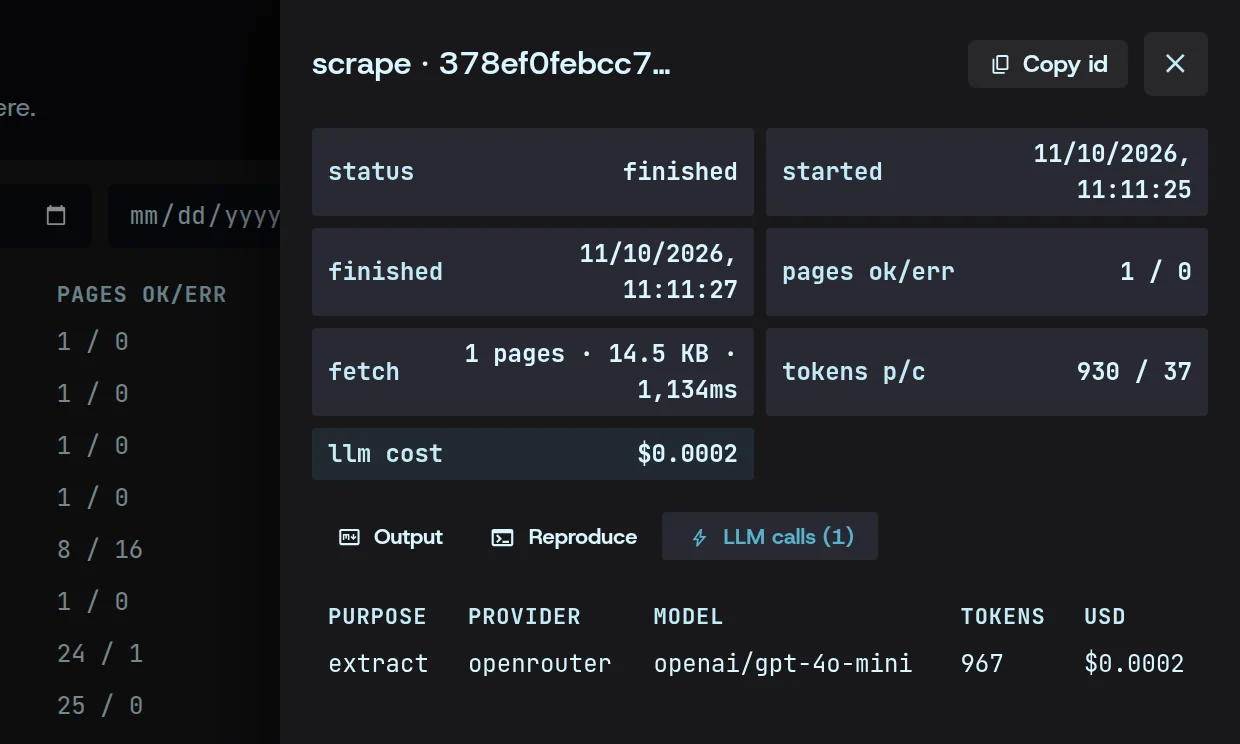
The run in History: 930 prompt and 37 completion tokens, $0.0002 of LLM cost, and its one call — extract, openrouter, openai/gpt-4o-mini, 967 tokens, $0.0002.

Extract typed JSON in three steps.

  1. 01

    Add your key

    Paste the API key for the LLM you already pay for. It stays on your machine.
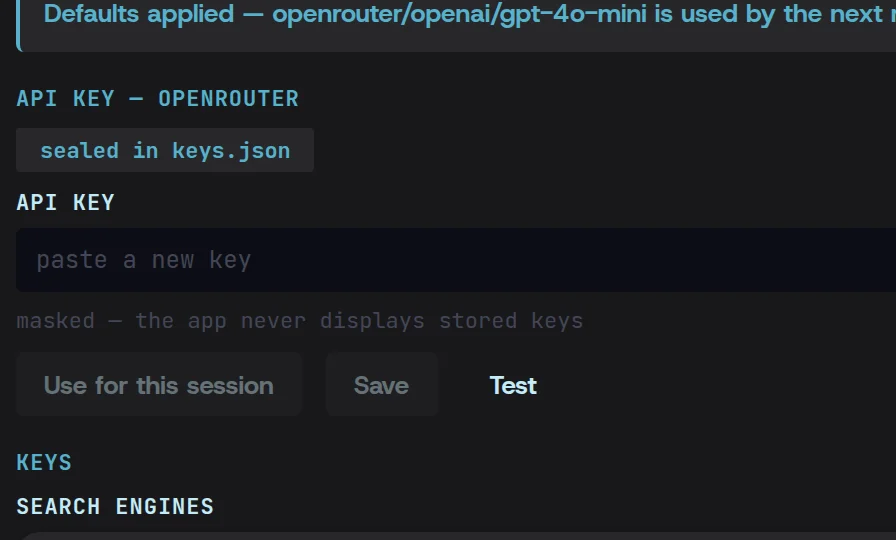
    Settings with the OpenRouter key sealed in keys.json and openai/gpt-4o-mini applied as the default; the key field stays empty, as the app never shows a stored key.
  2. 02

    Set the schema

    Paste one, or describe the fields and let Magpie draft it from a sample page.
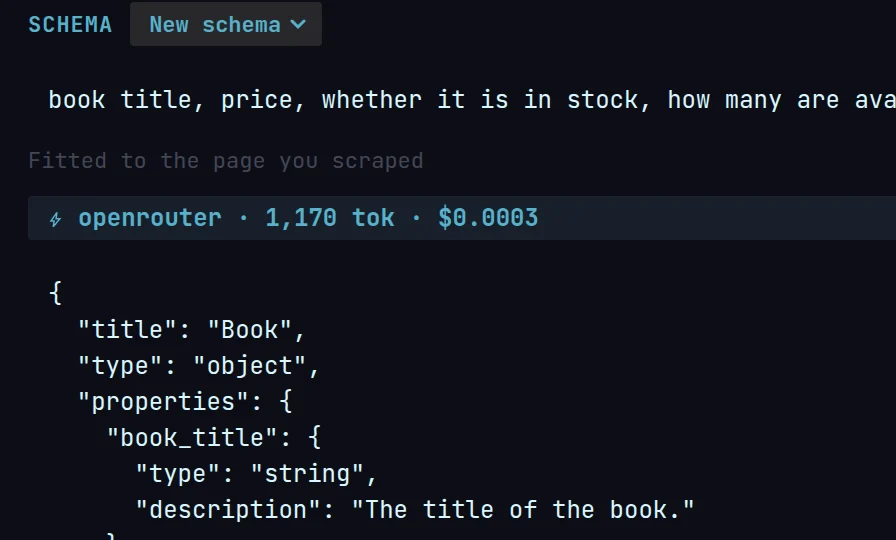
    The fields described in plain words and the JSON Schema Magpie drafted from them, fitted to the page just scraped.
  3. 03

    Run and read the log

    Get typed JSON back, with every call’s tokens and cost beside it.
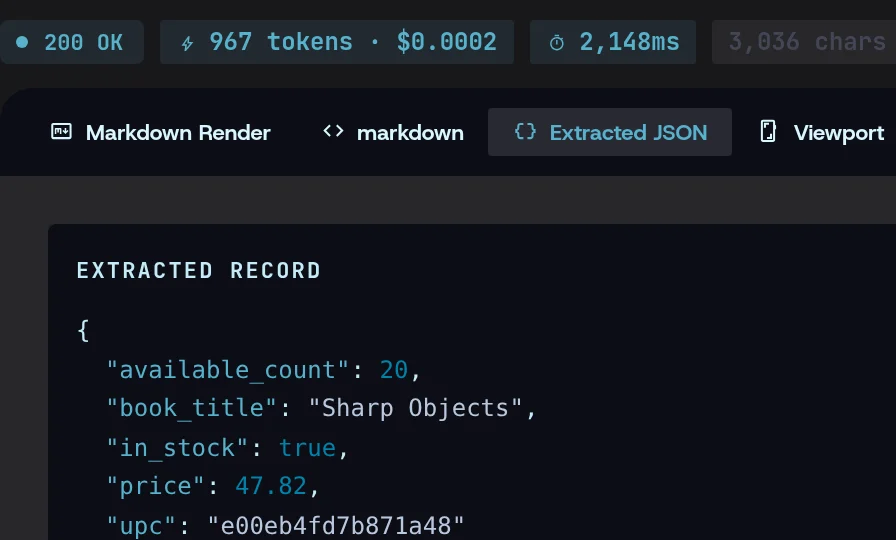
    The run’s telemetry — 200 OK, 967 tokens · $0.0002 — above the Extracted JSON tab and its typed record.

Extraction, answered.

More in the docs
Which LLM does extraction use?

The one you choose, with your own API key. Magpie calls the provider directly from your machine and adds no markup.

Where does my API key go?

Into your OS keyring — or an encrypted file where there isn’t one — and from there only to the provider you chose. Once saved, Magpie never shows it again.

How do I know what a run costs?

Every LLM call is logged with its tokens and an estimated cost: per run in History, as you go on the Scrape screen, and as spend by provider on the Overview.

Stop renting credits.

One flat price, your machine, your keys.

Download free for Windows, macOS and Linux

Windows · macOS · Linux $49/mo flat, cancel anytime