
Free downloadv1.0.0
Web scraping software for Windows, Mac & Linux.
Most web scraping software rents you a meter. Magpie is the other kind: software you download and run, with your data on your disk and your keys in your keychain. Five free runs, no account.
- No credits
- Your machine
- Your keys
- SHA-256 published for every build
Download Magpie.
Pick your build. This is the web scraper download page: every file ships from the same tagged release, checksums published next to it, so you can download data scraper builds for every machine you own from this one table.
x64 · .exe installer
Version1.0.0
Size15 MB
Released
DownloadWindows 10 / 11, x64 · .exe installerApple silicon + Intel · .dmg
Version1.0.0
Size22 MB
Released
DownloadmacOS 12+, Apple silicon + Intel · .dmgx86_64 · .deb
Version1.0.0
Size9 MB
Released
DownloadLinux, x86_64 · .debx86_64 · .rpm
Version1.0.0
Size10 MB
Released
DownloadLinux, x86_64 · .rpm
Windows
The web scraper Windows users get is one installer,
magpie-desktop-amd64-installer.exe, and the scraping application opens on its Overview once you accept the licence. It isn’t code-signed yet, so Windows may say “Windows protected your PC”: click More info → Run anyway. Signing is on the roadmap, and this note goes when it lands.For Windows web scraper jobs that need a real browser, Magpie drives your installed Chrome or Edge, or fetches Chromium once. No driver to download, no versions to match.
macOS
Download
Magpie.dmg, drag Magpie to Applications, open it. The app is signed and notarized, so Gatekeeper lets it through without the right-click dance.Linux
Debian-family:
magpie-desktop_1.0.0_amd64.deb. Fedora-family:magpie-desktop-1.0.0.x86_64.rpm. Both pull GTK 4 and WebKitGTK 6.0, the only system packages the app needs, and a plainSHA256SUMSships with every release.
The short version
What you’re downloading.
Credits per page, rate-limited keys, your data routed through someone else’s cloud, and a bill that grows with your ambition. That’s the usual deal. Magpie’s fetch happens on your machine, the results sit in a local database you can open yourself, and your API keys stay in your OS keychain.
Plenty of website scraping software buries the cost three screens deep. This page is the web scraping software download itself, plus what it does, what it costs, and how to verify the installer.
- Platforms
- Windows 10/11, macOS 12+, Linux. .deb and .rpm.
- Price
- Free download, 5 free runs. Then $49/month, cancel anytime.
- After the free runs
- Read-only, not dead. Your data and exports keep working.
- Data path
- Your machine → target site. Never our servers (there are none).
- LLM keys
- Yours, in the OS keychain. Every call’s cost is visible.
- Account
- None. The licence lives in your OS keychain, checked against Polar.
- CLI
- Free and open source. The engine is a Go CLI, AGPL or commercial.
Verify your download.
Every release publishes a SHA256SUMS file next to the installers, and every data scraper download on this page matches it. Run one line and you know the bytes are ours.
SHA256SUMS for v1.0.0Windows
Run in PowerShell or Command Prompt from the folder you saved the installer in, then compare the hash with the table above. The installer isn’t code-signed yet, so the checksum is the check — and the reason SmartScreen asks once before it runs.
certutil -hashfile magpie-desktop-amd64-installer.exe SHA256expected fdf6 4483 e92d … b20e 143c
macOS
Save SHA256SUMS from the same release next to the disk image and run this in Terminal. If it prints OK, the file is bit-for-bit what we built. The app and the disk image are notarized by Apple too, so Gatekeeper checks them before the first launch.
shasum -a 256 -c SHA256SUMS --ignore-missingMagpie.dmg: OK
Linux
Save SHA256SUMS from the same release next to the package and run this in a terminal; it prints OK for each package you downloaded. The packages carry no GPG signature — the checksum is the check.
sha256sum -c SHA256SUMS --ignore-missingmagpie-desktop_1.0.0_amd64.deb: OK
magpie-desktop-1.0.0.x86_64.rpm: OK
From installer to first dataset.
- 01
Download
Grab the build for your OS from the table above. One file, no account, nothing to activate.
- 02
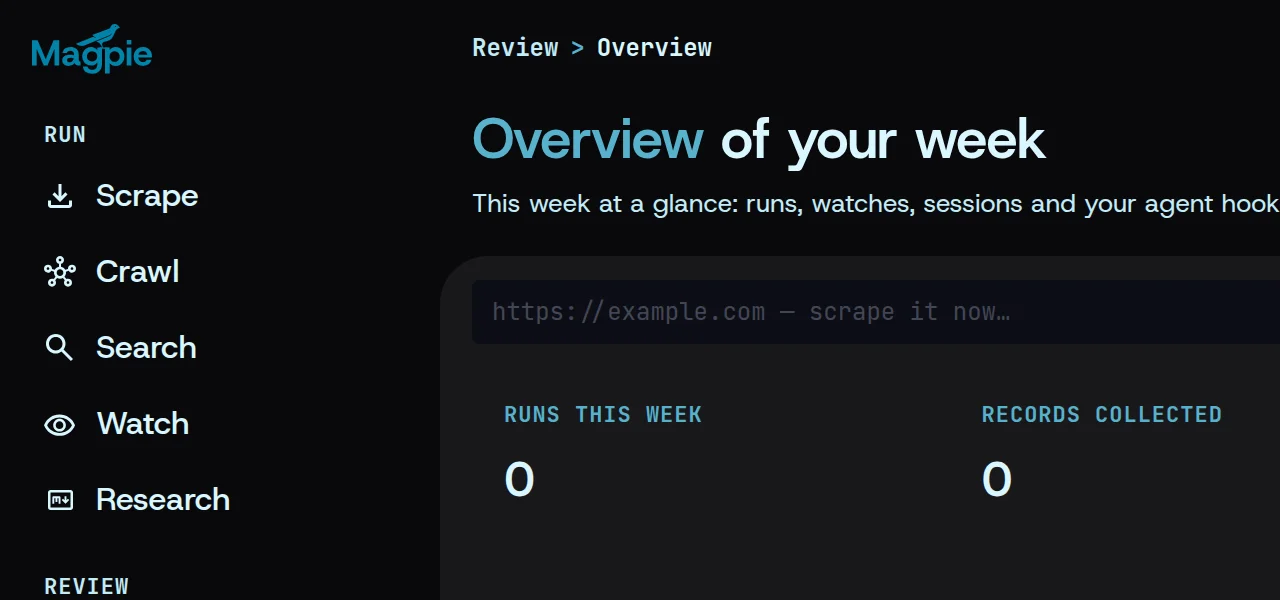
Run the installer
Double-click, approve, done. Accept the licence and Magpie opens on its Overview — no licence key, no account.
- 03
First scrape
Paste a URL, pick an engine, and watch clean markdown land in a cache on your own disk.
Prefer a terminal?
magpie scrape https://example.com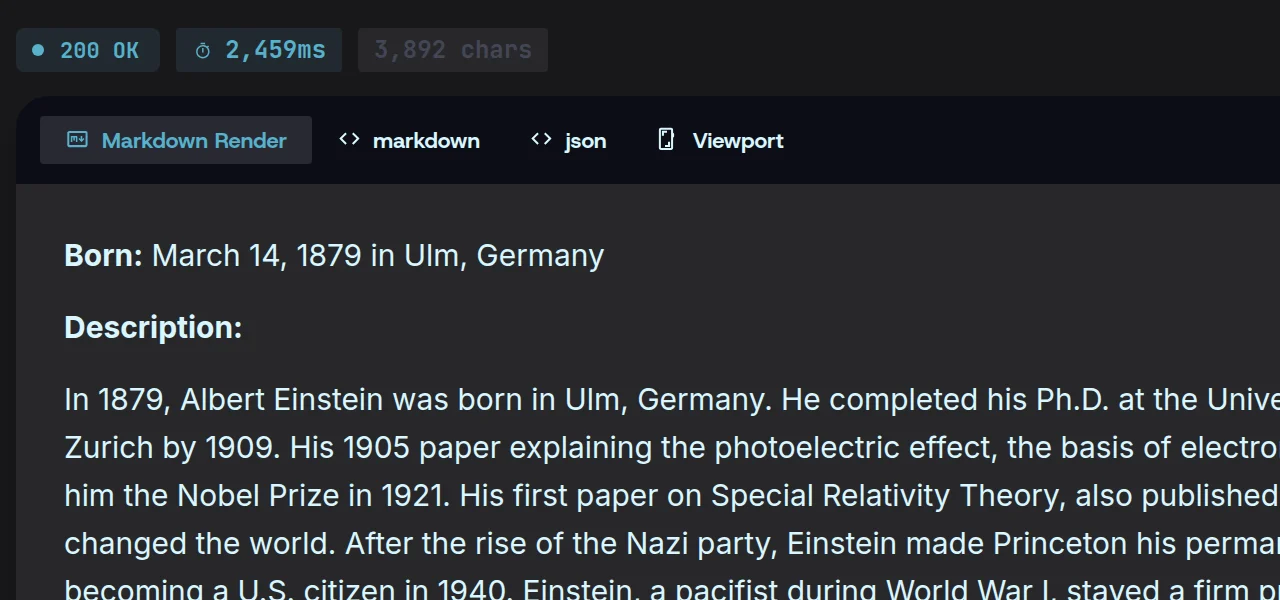
Five engines
What this web scraping app does.
The one-line version: point this website scraper app at a page, get clean Markdown out. The full version has five engines and a side door for your agents.
- ScrapeOne URL in, clean Markdown out. The boilerplate stripper drops nav, ads and footers before you ever see them.
- CrawlWalk a whole site with depth caps, page caps and include/exclude globs, with live counters as it goes. One crawl counts as one run against your trial.
- ExtractThe web extraction software layer: describe the record you want as a schema, and any of seven LLM providers turns pages into validated JSON. Ollama counts, so it can run on a local model, offline.
- MonitorWatch a page; when it changes, Magpie calls your webhook. Price drops, new job posts, a competitor’s pricing page.
- ResearchAsk a question and get a report compiled from many sources, every claim tied to the pages behind it.
The side door for your agents
A built-in MCP server with twelve tools, bound to localhost. Claude Code, Cursor or Codex connects to it and scrapes without you copying output between windows. A desktop workbench for people whose scrapes feed a terminal and an editor.
mcp · 127.0.0.112 tools · local only
Honest about walls
Magpie detects bot challenges and tells you; it does not defeat them. robots.txt is respected and per-host rate limits are on by default. A scraper program that promises every site is lying to you. This one shows the blocked status and moves on.
GET shop.example.com/pricingchallenge · reported, not bypassed
Under the hood
Selectors that repair themselves.
Every site scraper software claim eventually meets a site redesign. Selectors break, output goes empty, and you find out three weeks later from a downstream report.
Magpie’s extraction engine keeps a self-healing selector cache: selectors are stored per domain and schema in the local SQLite database, and when a site change pushes a field’s null rate up, the engine re-synthesizes the selector with an LLM pass instead of failing quietly. It is the difference between a web scraping program that alerts and one that repairs.
A flight recorder for every run
The same database holds every run’s history, a data scraping program’s flight recorder. Filter by status, date or URL, reopen any result, export the Markdown again. Delete a run and everything it collected goes with it, by design.
- 01 Cached
.price-nownull 2%ok - 02 After a redesign
.price-nownull 64%over the trigger - 03 Healed
[itemprop=price]null 1%re-synthesized
Re-synthesis trigger · 30% null
Pricing, plainly
What “free” means here, exactly.
Most “free” scraping pages mean a metered account behind the installer. This web scraper tool free download means something specific, and it pays to be precise.
- 01 · Runs 1–5
The download and 5 runs.
Spend them however you like: scrape, crawl, extract, watch. No account, no card. Failed and stopped runs don’t count, a crawl is one run however many pages it walks, and a watch counts once, when you add it. Its checks are free.
- 02 · After run 5Read-only
Read-only, not dead.
Every read, export and setting keeps working, and the run buttons explain themselves. Nothing you made gets held hostage. To get back to full speed, a licence is $49/month, one computer at a time, cancel whenever.
- 03 · AlwaysAGPL
The CLI, forever.
The engine under this data scraping app is a public Go CLI, free under AGPL (or a commercial licence if you embed it): the web scrape software that never locks. If $49/month isn’t for you, build the CLI from source and script the same pipeline. The desktop app is the GUI, the history and the polish.
That makes this the rare data scraping software free download that says what happens after the free part, on the download page.
How this web scraping software compares to cloud services.
Browser-based web scraping applications put a meter between you and the page. Internet scraper software that runs locally costs the same at 10 pages and at 10,000.
| Magpie$49/mo, everything | Cloud scraping APIsmetered | |
|---|---|---|
| Data path | Your machine → site | Your machine → their cloud → site |
| Cost at 10k pages | $49/month, unmetered | Credits; scales with pages |
| LLM costs | Your keys, visible per call | Bundled, marked up or capped |
| Blocked sites | Detects and reports | Proxy pools rotate (metered) |
| Works offline | Yes (14-day licence allowance) | No |
System requirements.
Magpie runs on your machine, and no Magpie server sits between you and the pages you point it at.
Windows
- OS
- 10 · 11
- Arch
- x64
- Web view
- WebView2 · added if missing
- Signed
- Not yet
macOS
- OS
- 12 Monterey or newer
- Arch
- Apple silicon · Intel
- Web view
- WebKit · built in
- Signed
- Developer ID · notarized
Linux
- .deb
- Ubuntu 24.04+ · Debian 13+
- .rpm
- Fedora 40+
- Arch
- x86_64
- Web view
- GTK 4 · WebKitGTK 6.0
AI extraction and research call your own LLM provider, so those engines need its API key (Ollama runs keyless) — plain scraping, crawling and monitoring need no key at all. Pages that need a real browser use your installed Chrome or Edge, or a one-time ~150 MB Chromium download. Scraping needs the internet, obviously; the licence check tolerates 14 days offline.
Latest releases.
Full changelogv0.1.31
LatestForgetting a research run deletes every copy of the pages it read, and Settings gains plans and licence keys.
v0.1.30
New installs keep their data in the OS app-data folder; browser rendering uses your own Chrome or Edge.
v0.1.29
A failed extraction still returns the page, a cancelled scrape stops at once, and an aborted crawl keeps its counts.
Older releases
v0.1.28
Every run finishes its history row, oversized watch changes start a new baseline, and unpriced models are costed.
v0.1.27
Research can read sources behind a saved login, and browser rendering honours the private-address guard.
v0.1.26
Research reports you can audit: every claim tagged with its sources, the passage behind it one click away.
v0.1.25
Research arrives: ask a question, and Magpie reads the web on your keys and writes a report where every quote is checked.
v0.1.24
The groundwork for research: a ledger where every claim points at the stored page version it came from.
v0.1.23
Several formats from one fetch, Search that scrapes its top hits, keys in your OS keyring, and a light theme.
v0.1.22
Signed webhooks with retries, schemas drafted from plain words, and word and link counts on every watch change.
v0.1.21
A Failures card with one-click fixes, a live crawl feed, watching from the tray, and a schema library.
v0.1.20
See where your LLM spend goes, set a monthly budget, and open the app on Overview.
v0.1.19
Overview rebuilt around what to do next, and agents connect in one step.
v0.1.18
Copy any run as CLI, MCP or Go, see the cost before you run, and replay any run from History.
v0.1.17
Watch pages on a schedule, search the web from the app, and compare any two snapshots.
v0.1.16
Summarize, re-extract and brand a result without fetching it again; a proxy per run.
v0.1.15
Saved logins notice when they expire and ask you to log in again.
v0.1.14
magpie init, six more site extractors, and an offline quality benchmark.
v0.1.13
Scrape behind your login, export and resume crawls, and selectors that heal without an LLM.
v0.1.12
The endpoint fix from v0.1.11 applies only to the Anthropic route.
v0.1.11
Models served over the messages route work again.
v0.1.10
A crawl’s robots.txt check goes through the run’s proxy.
v0.1.9
A per-run proxy passes the private-address guard, and config saves refuse a file of only comments.
v0.1.8
A proxy for a single run, across fetch, scrape and crawl.
v0.1.7
Cookies can be set on browser-rendered pages.
v0.1.6
Request headers per run.
v0.1.5
Saving the config keeps your comments and unknown keys.
v0.1.4
Keys in the OS keyring, every scrape option in the app, and a provider picker in the footer.
v0.1.3
Site extractors for job posts, events, local businesses, articles, RSS and Upwork.
v0.1.2
The desktop app gets its screens: Scrape, Crawl, History and Settings.
v0.1.1
The desktop app can scrape, crawl with live progress, and keep a history.
v0.1.0
The first tagged engine: scrape, crawl, extract and MCP, all on your machine.
Questions before you download.
More in the docsIs the download free?
Yes. The web scraper free download includes five full runs: scrape, crawl, extract, watch. After that the app is read-only until you buy a $49/month licence, and everything you already collected stays exportable.
Do you see my data?
No. There is no Magpie cloud. Fetches go from your machine to the target site; results live in a local SQLite file you can open, copy or delete. An SSRF guard also blocks the app from fetching internal network addresses.
Where do my API keys go?
Into your OS keychain (Windows Credential Manager, macOS Keychain, Linux Secret Service). Never a config file in the clear, never our servers.
What if a site blocks me?
Magpie detects bot challenges and shows a blocked status per run. It does not bypass CAPTCHAs or bot protection. That is a deliberate line, and the reason it can be polite by default: robots.txt and per-host rate limits.
Do I need to code?
No. The GUI covers the whole pipeline. If you do code, the CLI and the 12-tool MCP server give you the same engine in scripts and agents.
What happens to my history if I cancel?
Nothing. Read-only mode keeps every read and export working. Your database is yours.
Is there a web version?
No, and that’s the product. A web scraping web app or webscraper app hosted in a browser sends your targets and results through someone else’s servers; this one doesn’t.
How do I know the installer is safe?
Check any download (the Windows installer, the .deb or the .dmg) against the published SHA256SUMS, or build the engine from source; it’s open. The one-liners are under Verify your download.
Point it at a page you know.
It’s the fastest way to judge a scraper, and five free runs is enough to learn whether Magpie earns the disk space.