Whole sites, mapped and crawled, live.

Map a site first, then crawl it and watch every page land.

Download free for Windows, macOS and Linux

No credits. Your machine. Your keys.

in
one start URL
out
site map · every page · failure report
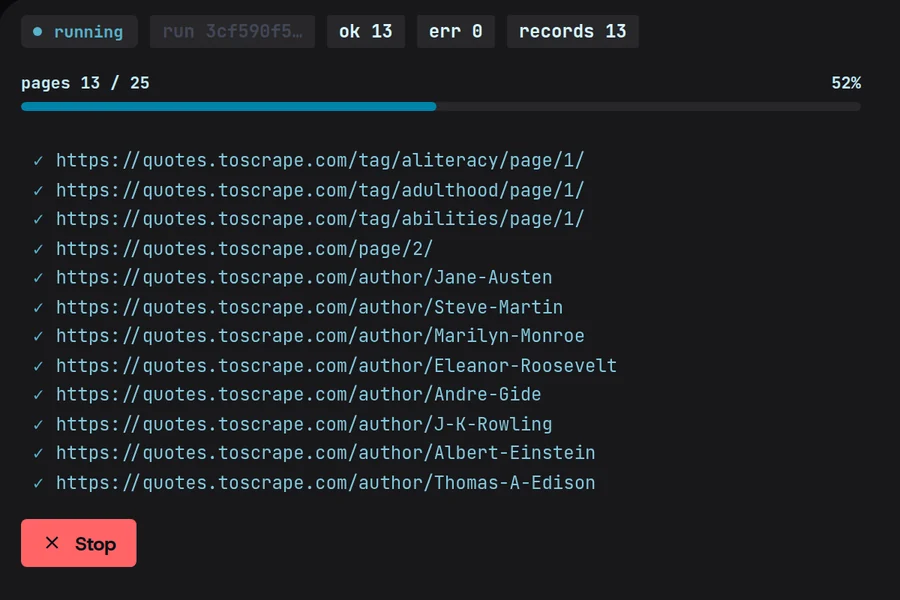
Magpie’s Crawl screen mid-run on quotes.toscrape.com: 13 of 25 pages, no errors, each fetched URL ticked off as it lands.

Map the site before you commit.

Magpie lists the pages in a site’s sitemap first, so you narrow the crawl to the paths you want before a single page is fetched.
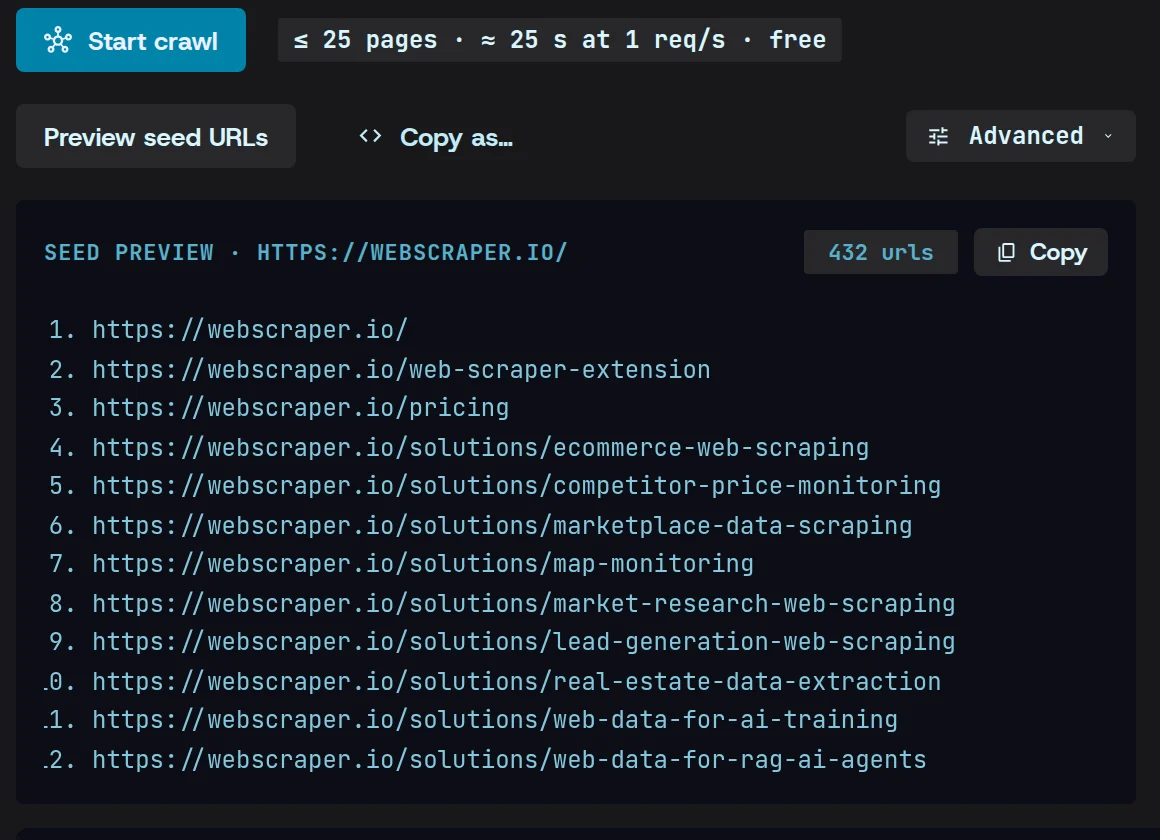
Crawl’s seed preview for webscraper.io: 432 URLs read from its sitemap and listed before anything is fetched, under the estimate of 25 pages in about 25 seconds at 1 request a second.

Live progress, and an honest failure report.

Watch pages complete as they land. A page that fails shows up in the list with the reason it failed.
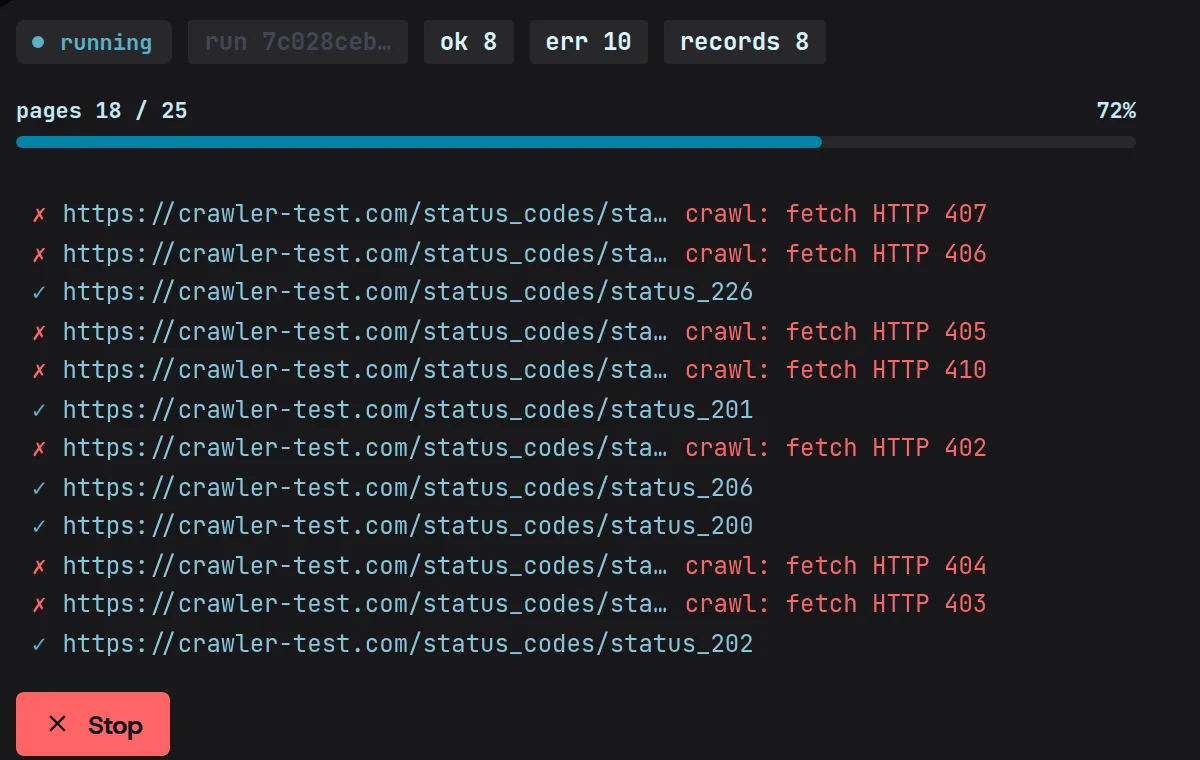
A live crawl of crawler-test.com’s status-code pages at 18 of 25: each fetched page ticked, each failure crossed out with its reason — HTTP 402, 403, 404, 405, 406, 407 and 410.

Paced to respect the site.

Crawls follow robots.txt and space out their requests, so a big crawl doesn’t hammer the site you’re reading.
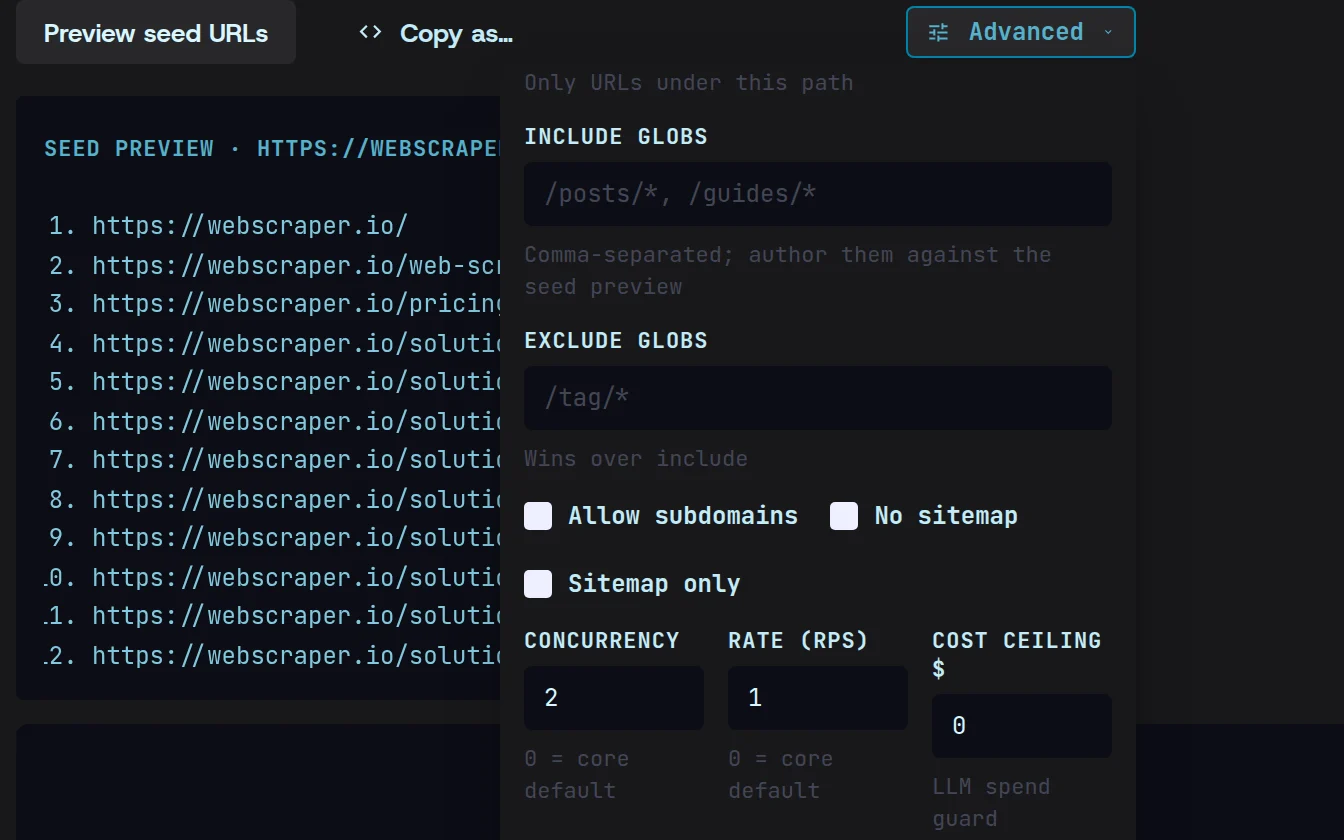
Crawl’s pacing settings: concurrency 2, a rate of 1 request a second, and Auto-throttle on errors switched on.

Crawl a site in three steps.

  1. 01

    Start from one URL

    Give Magpie a start URL and preview the pages its sitemap lists.
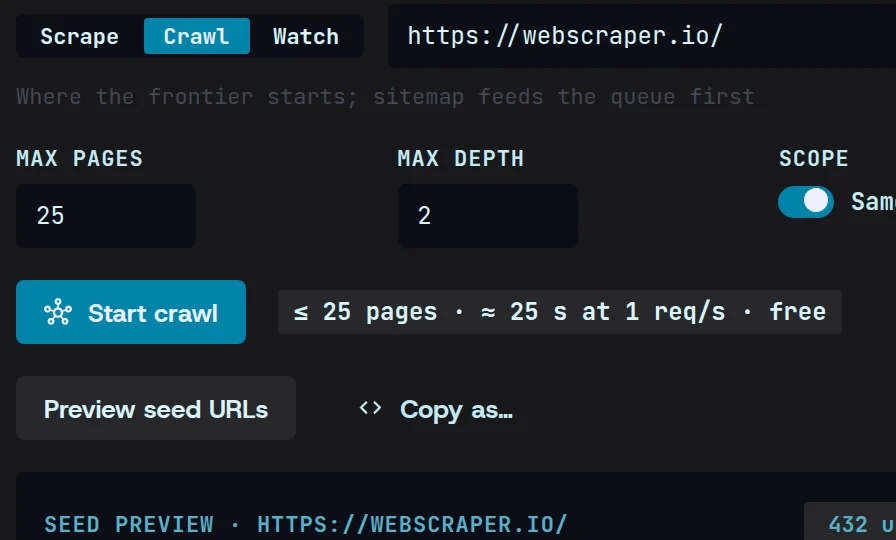
    Crawl’s form with webscraper.io as the seed URL, 25 pages two links deep, and its sitemap preview of 432 URLs below.
  2. 02

    Choose what to crawl

    Keep the paths you want and drop the rest with a prefix or a pattern, before anything runs.
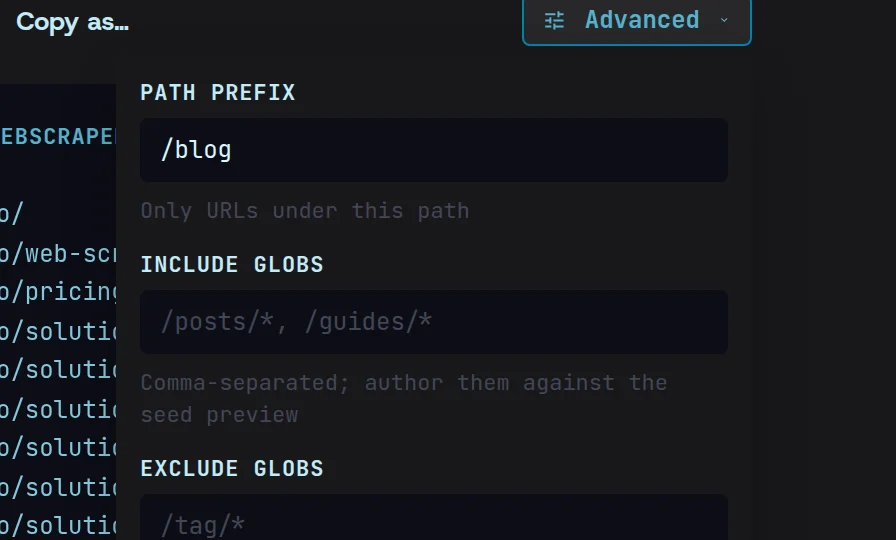
    The crawl narrowed to the /blog path prefix in Advanced, beside the sitemap preview.
  3. 03

    Watch it land

    Pages arrive live in your local cache, and failures are reported as they happen.
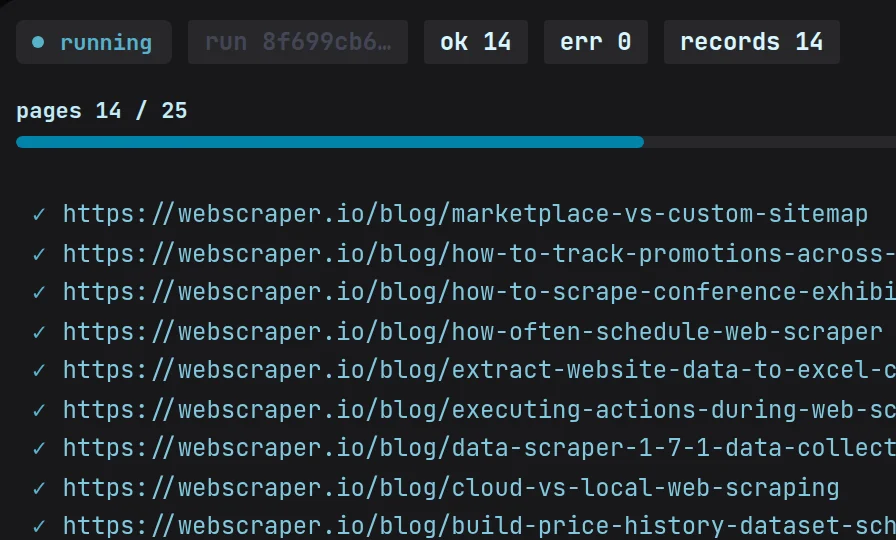
    The crawl running at 14 of 25 pages with no errors, each webscraper.io blog post ticked off as it lands.

Crawling, answered.

More in the docs
Does Magpie respect robots.txt?

Yes. Crawls follow robots.txt and pace their requests so the site isn’t overloaded.

How big a site can I crawl?

As big as you need — there’s no page cap. Each crawl sets its own page and depth limits (25 pages, two links deep by default), and a stopped crawl can be resumed.

What happens when a page fails?

The crawl carries on. The page is marked in the live list with the reason it failed and counted as an error, and a run that fails outright waits on the Overview with a retry.

Stop renting credits.

One flat price, your machine, your keys.

Download free for Windows, macOS and Linux

Windows · macOS · Linux $49/mo flat, cancel anytime